The Afiyah app
Your home, your super, your plan. One app.
For Afiyah clients with a home application or super. Track every step, upload documents by photo and message your team, on your phone or in your browser.
Use it in your browseriPhone · Coming soonAndroid · Coming soonOn your phone or your computer. Signing in is a look around, not an application.

Four tabs
What each tab is for
Home tells you what is next. Messages are in the header, and Faith, if you choose it, is in your account menu.
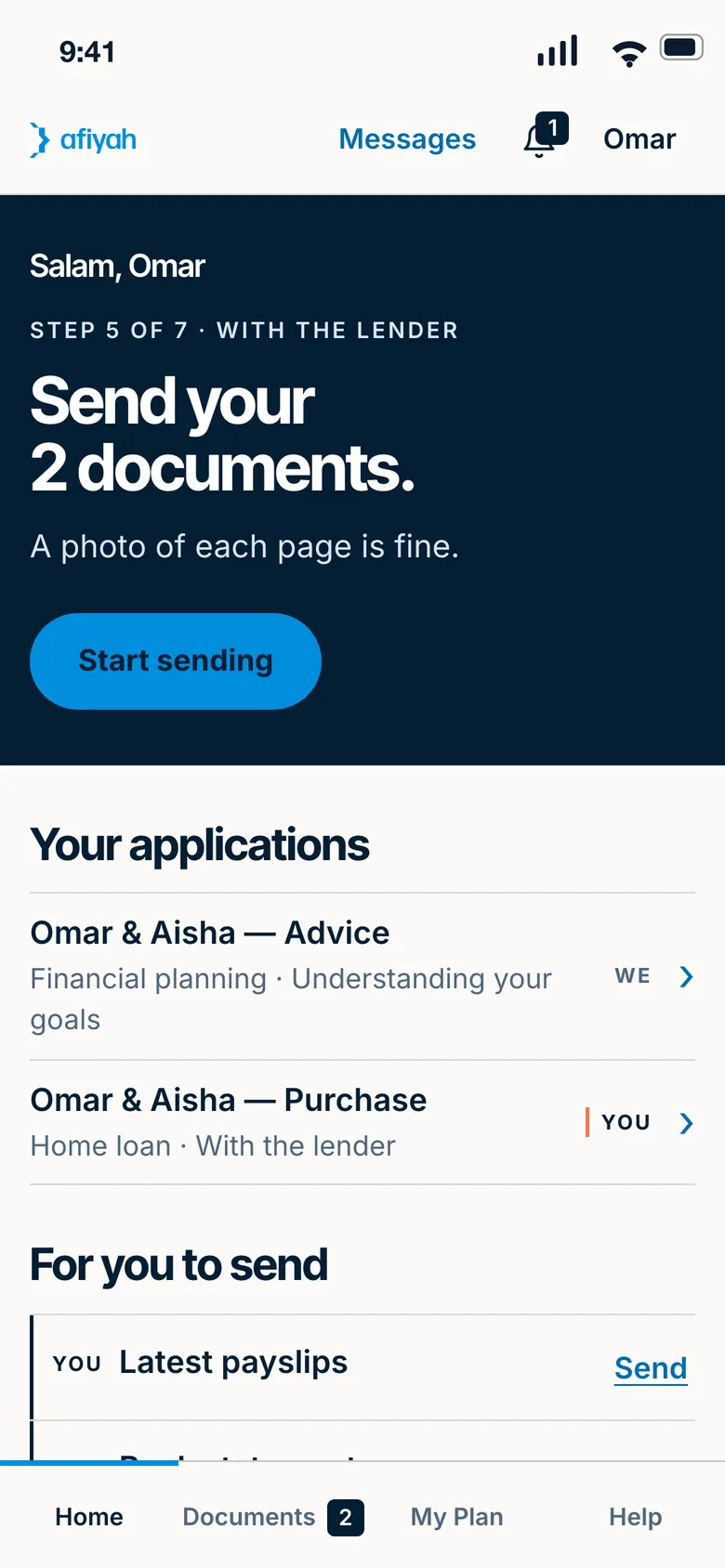
Home
- Your next step, always at the top
- Upload, message, book a call or ask, in one tap
- Messages are in the header, one tap from every tab
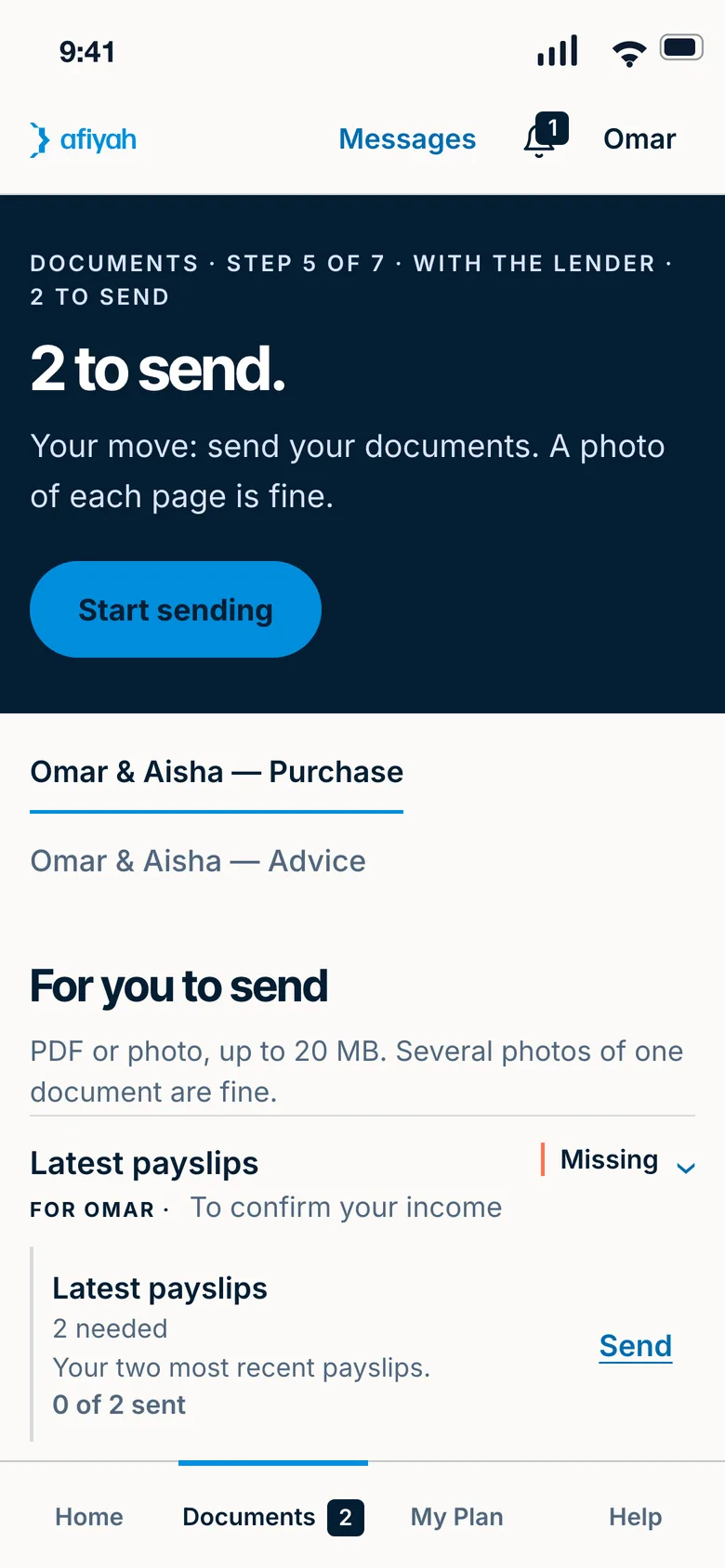
Documents
- Photograph each page or choose a file
- A checklist of what is left, person by person
- Documents to sign, on your phone or your computer
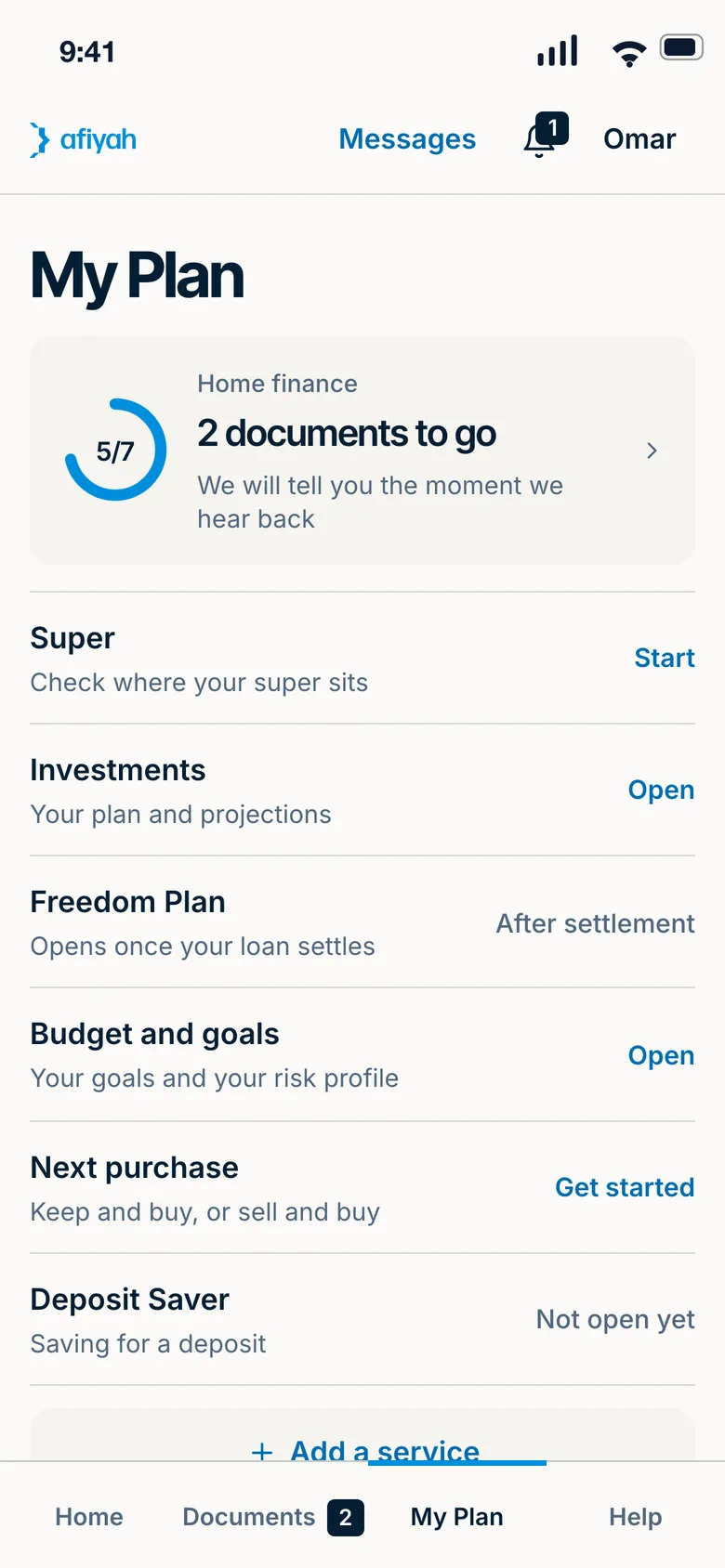
My Plan
- Home finance, super and investing together
- Freedom Plan, Deposit Saver, budget and goals
- Add a service when you are ready
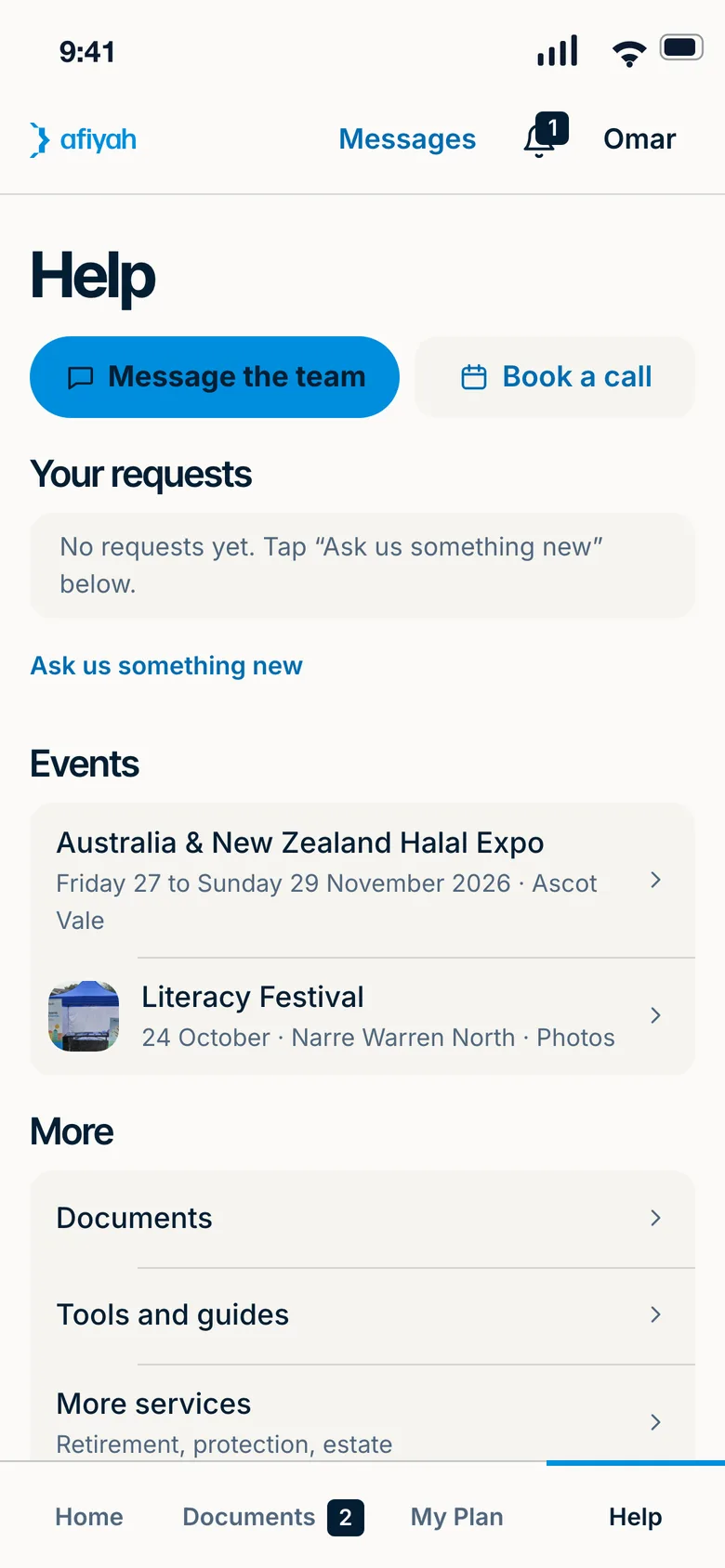
Help
- Message the team or book a call
- Your requests, each with a reply
- Events, tools and more services
Your home and your super, side by side
Home finance
- Apply from your phone, with your spouse on their own sign-in
- Photograph your documents, page by page
- See every step until settlement
- Built for under 15 minutes when your documents are ready
Super and investing
- Your balance and holdings, each with its date
- How every holding is screened
- A review with an authorised adviser, wherever your super is
- A move only if you choose to, with every cost in dollars first
The full list
Everything in the app
On your phone and in your browser. Open a group to see what is in it.
Your home applicationApply, upload, sign and message your finance specialist.
- Apply from your phone
- Your Credit Guide, in a tap
- Apply together
- Your details, saved as you go
- Documents by photo or file
- See every step
- Verify your identity
- Read and sign online
- Message your finance specialist
- Book a call
Once you have the keysYour finance at a glance, your Freedom Plan and what equity could do next.
- Your finance at a glance
- Your Freedom Plan
- Your yearly review
- Help if payments get hard
- Ask for a rate review
- Your home value
- Equity Release Plan
- Next Purchase Plan
- Settlement checklist
Super and investingYour super, your holdings and your advice, in one place.
- See your super and investments
- Every account in one place
- Your super review
- Move your super, only if you choose to
- Shariah-screened investing
- See how each holding is screened
- Advice without moving your super
- Your advice, to read and sign
Money plansA deposit target, your goals and other services.
- Deposit Saver
- Budget and goals
- Add a service
FaithOptional, in your account menu: prayer times, Qibla, the Qur'an and zakat reminders.
- Prayer times
- Qibla
- Read the Qur'an
- 40 Hadith
- Mosques near you
- Zakat
- Daily intentions
- Ramadan and Eid
- Yours to switch on or off
Help and learningRequests, tools, guides, events and referrals.
- Requests with a reply time
- Updates in one inbox
- Tools and calculators
- Guides and articles
- Events
- Refer and earn
- More services
- Scholarship Fund
- App help
Safe and privateYour own sign-in, your settings and how we protect them.
- Your own sign-in
- Private in a shared household
- Notifications worth opening
- Your choices, your settings
- We never ask for money by message
- Phone and computer
Put it on your phone
There is nothing to download from a store. Open the app, then add it to your home screen.
Step 1: On iPhone
Open the app in Safari. Tap Share, then Add to Home Screen.
Step 2: On Android
Open the app in Chrome. Tap Install when it appears, or choose Install app from the menu.
Step 3: On a desktop or laptop
Open it in your browser and sign in. In Chrome or Edge you can also install it from the address bar.

Questions about the app
What does the app cost?
There is no charge to use the app. Our services have their own costs. Your Credit Guide sets out the finance costs, and your adviser shows the planning costs in dollars before you agree.
Is my information safe?
You sign in with your own email and password. Only you and your Afiyah team can see what is in your account. Our Privacy Policy explains how we handle your information.
Can my spouse use it too?
Yes. When you apply together, each of you has your own sign-in. You each fill in your own part, and your own messages and documents stay yours.
Do I need my super with Afiyah to use it?
No. You can use the app for home finance only, or get advice on your super wherever it is today.
Does it work on a desktop or laptop?
Yes. Open it in your browser and sign in. It is the same account, with more room on a bigger screen.
Open the app and see what is next
Already working with us? Sign in. Not yet? Send an enquiry and we will set you up.